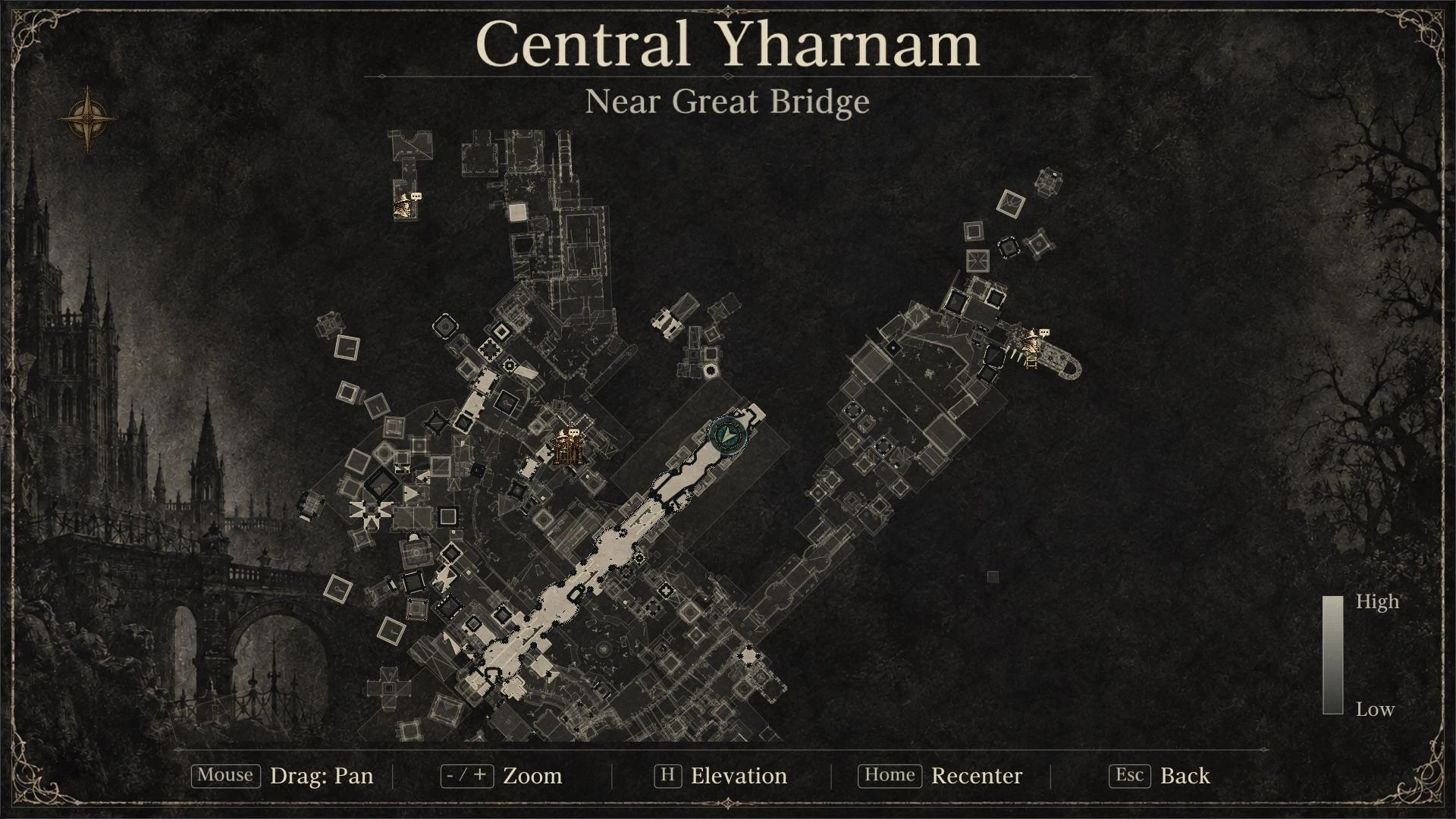
Mod: Hunter's Atlas 0.1.0
Original page: https://www.nexusmods.com/bloodborne/mods/734?tab=description
What it does: Adds a fullscreen interactive map to Bloodborne. It displays your current position and direction, area layouts, lamps, optional item and boss markers, and supports panning, zooming, and elevation shading. It also includes optional fast travel to previously discovered lamps.
Installation:
Part 1: Install the Host files
Download the optional bbport-host file from the Files section on Nexus Mods.
Extract the downloaded archive.
Open the extracted folder and locate apply-host.ps1.
Open PowerShell in the folder containing the script.
Run the following command, replacing the path if your BBPort installation is somewhere else:
.\apply-host.ps1 -Port "D:\BloodbornePC\bbport-windows"
The script will automatically create a host-backup-* folder before replacing the required files.
Wait for the script to finish. This installs the required native-mod support files into your BBPort installation.
Part 2: Install Hunter's Atlas
Download the Main – bbport-mod file from Nexus Mods.
Extract the downloaded archive.
Locate the Hunter's Atlas folder inside the extracted files.
Copy the entire Hunter's Atlas folder into your BBPort mods directory:
D:\BloodbornePC\bbport-windows\mods\Hunter's Atlas
Make sure the folder structure is correct. The mod folder should contain its files directly, rather than having an extra nested Hunter's Atlas folder.
Part 3: Enable the mod
- Open the BBPort launcher.
- Navigate to Mods & Patches.
- Click Refresh if the mod doesn't appear.
- Find Hunter's Atlas in the mod list.
- Enable it.
- Launch the game.
Part 4: Using the map
- Press M on your keyboard to open or close the map.
- Alternatively, use the Map tile in the quick menu.
- Use your mouse or controller to navigate, pan, and zoom.
Requirements:
- Windows 10/11 64-bit.
- BBPort Windows with native-mod support.
- A clean Bloodborne 1.09
eboot.bin matching the SHA-256 required by the mod.
Port version tested: Latest
Result: ✅ Works
Known limitations:
- Some maps may be incomplete, including Hunter's Dream, Upper Cathedral Ward, and Yahar'gul.
- Chalice Dungeons are not included.
- Player position tracking and fast travel require a matching
eboot.bin.